In this article
Typeform has a free plan. Its pricing page just does not say how many responses it allows.
That matters when you are about to send a validation survey to 30 strangers. Here are the free tools that put their limits in plain view, and what each one quietly holds back.
A validation survey has a small job. Typically, you need 20 to 50 answers from people who match your target customer, then you read the pattern. It is a one-time test, not a form program you will run for a year.
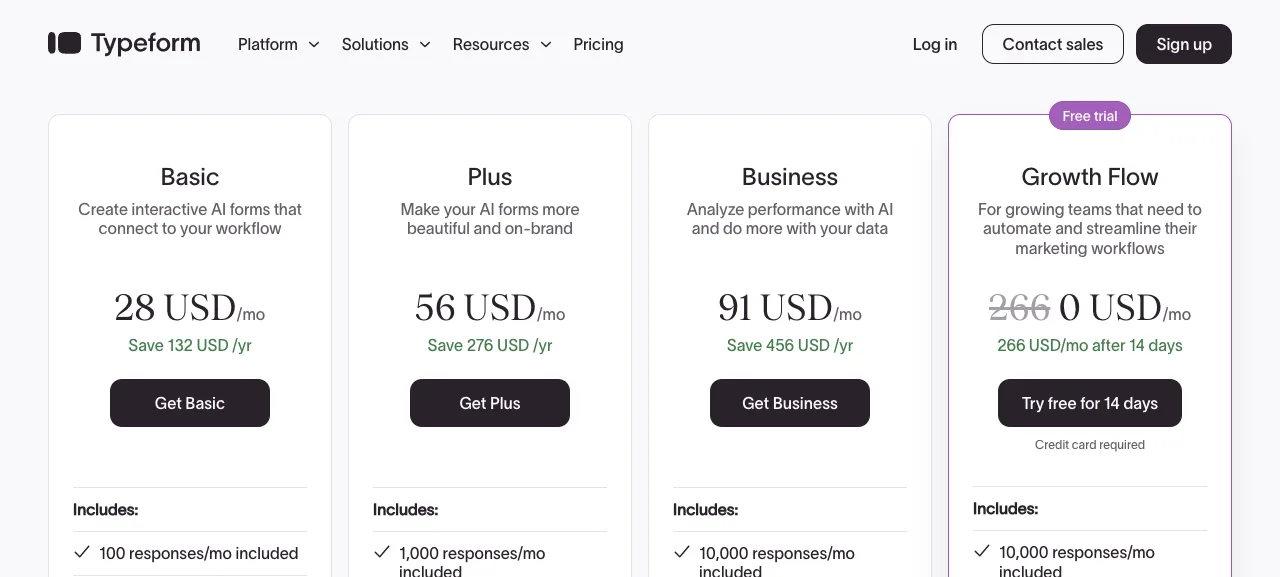
Typeform prices for the year-long program. Its Basic plan is listed at 28 USD a month (yearly billing shown) for 100 responses a month and one user, per Typeform’s pricing page (fetched September 2026). Branding removal starts on Plus, at 56 USD a month for 1,000 responses and three users. Its FAQ says the Free plan includes basic features with a limited number of responses a month, but the number is not printed.
So “free” is where you start, and the real question is what each free plan holds back. This guide covers free plans only, and it looks at four limits: the response cap, branding, partial responses and redirects. For a wider comparison that includes Jotform and Formbricks, see our guide to Typeform alternatives for validating a business idea. If you have not scored the idea itself yet, run the idea validation scorecard first. The tool matters less than knowing which questions are worth asking.
Tally: Unlimited Responses, With Two Catches
Tally’s free plan is the closest thing to “no limits” in this group. Its pricing page lists unlimited forms and unlimited submissions, as long as you stay within its fair usage guidelines, per Tally’s pricing page (fetched September 2026).
Free also covers conditional logic, calculations, payment collection, redirect on completion and Google Sheets, Notion and Airtable integrations. You can start building a first form without signing up.
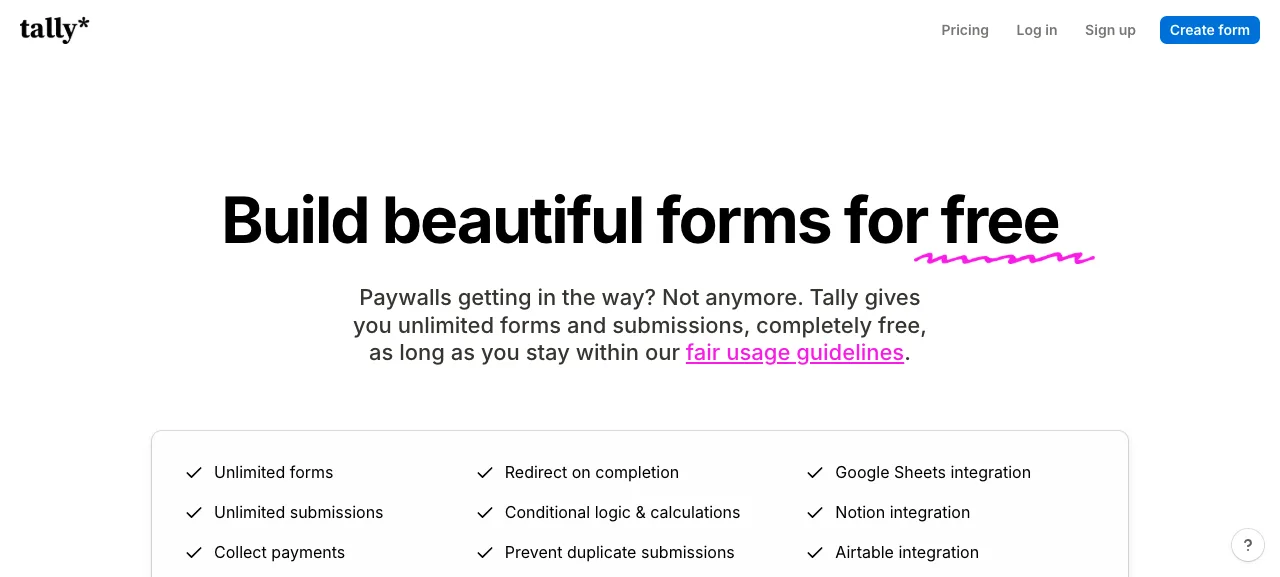
The catches sit on the Pro plan, listed at 24 USD a month. Pro is where Tally branding comes off, custom domains arrive, and partial submissions are captured. Partial submissions matter for validation. They show you where respondents quit, and where someone quits tells you something. Uploads on the free plan are also capped at 10 MB per file.
For a one-question-at-a-time survey with no response ceiling, Tally is the default pick. Its full comparison against Typeform is in our Typeform alternatives guide.
Youform: Unlimited on Free, But the Redirect Is Paid
Youform is the tool to look at if your worry is a response cap. Its pricing page lists unlimited forms and responses on the free plan, within fair-use guidelines, with no credit card and no trial countdown, per Youform’s pricing page (fetched September 2026).
The free list is generous. It includes conditional logic, scores and calculations, signatures, hidden fields, multiple endings, website embeds, and Google Sheets, Slack and Zapier connections.
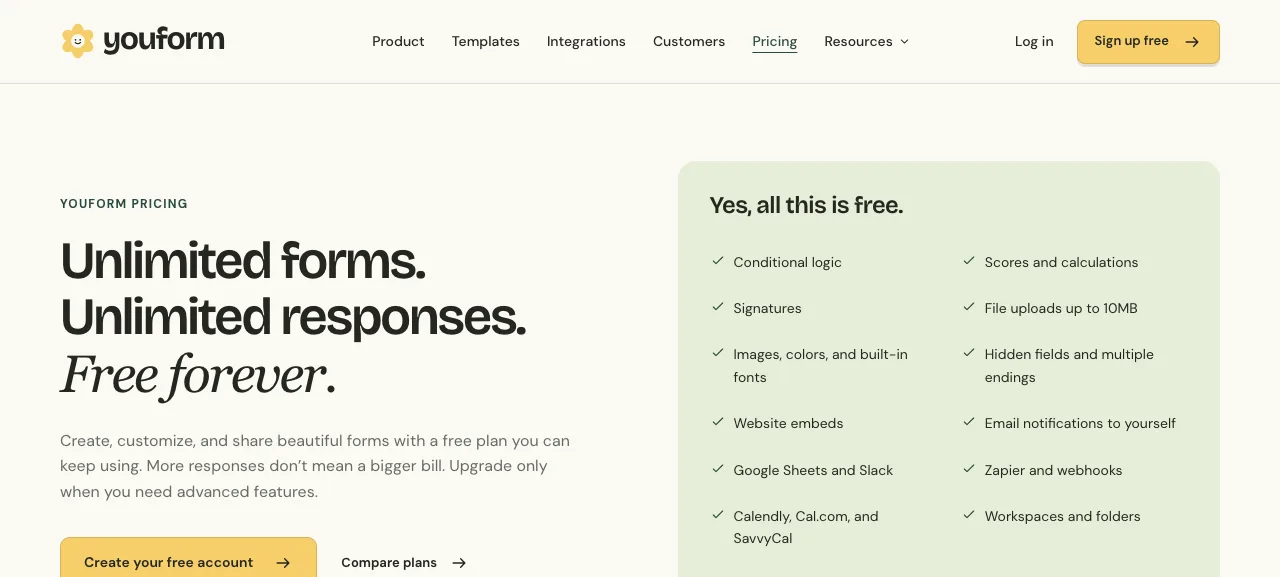
Pro is listed at 240 USD a year (20 USD a month equivalent) or 29 USD billed monthly. Per the page, you need Pro for your own branding or a custom domain, Stripe payments, partial submissions, advanced analytics and redirecting people to a URL after they finish.
That last one changes how you run a pre-sale test. Without a redirect, you cannot send respondents straight from the last question to a waitlist or payment link. Check whether your ending screen can carry a link before you rely on it.
Fillout: A Real Cap, But a Roomy One
Fillout is the only alternative here with a stated monthly response limit on its free plan. It lists unlimited forms, unlimited seats and 1,000 responses a month for 0 USD, per Fillout’s pricing page (fetched September 2026).
For a validation survey, 1,000 responses is far more than the typical 20 to 50 you need. You will not hit the cap. The cap only matters if the survey goes viral or you reuse the account for a bigger project.
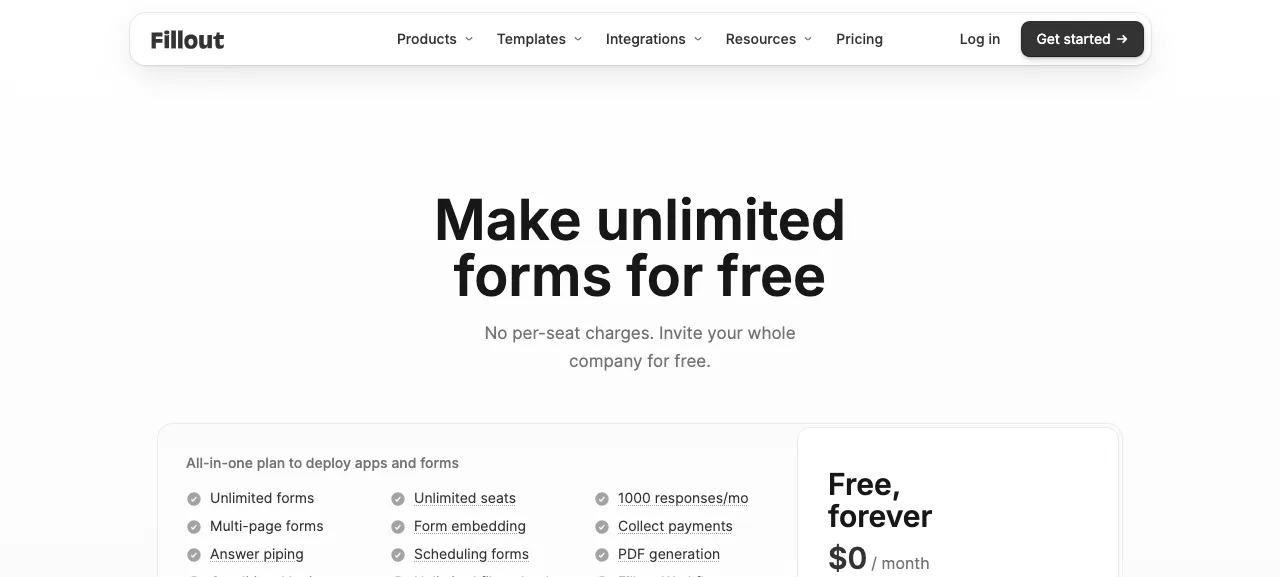
The catches are in the upgrade list, and Fillout holds back all four limits this guide tracks. Its Starter plan, listed at 15 USD a month on annual billing, adds 2,000 responses a month, all question types, custom endings, login forms and redirect on completion. That wording implies the free plan does not include every question type. Open the form builder and confirm the question types you need exist on free before you build.
Starter does not remove branding or capture partial responses. Branding stays on your form until Pro, listed at 40 USD a month on annual billing, which also brings custom share links, fonts and CSS. Partial submissions wait until Business, listed at 75 USD a month on annual billing. Free does include payment collection, conditional logic and unlimited file uploads.
Google Forms: The Zero-Cost Default
Google Forms costs nothing with a Google account and needs no new sign-up if you already use Gmail. Answers flow into a Google Sheet, which is where most solo founders read them anyway. See Google Forms’ product page for what it does.
The trade-offs are presentation and depth. The layout looks like a form, not a designed experience. Branching is basic, and there is no built-in payment field. For a survey whose only job is honest answers, plain is often fine. Our walkthrough of how to use Google Forms to validate a product idea covers question wording and where to find respondents.
What Each Free Plan Holds Back
| Tool | Free plan response limit | Held back until you pay | Cheapest paid plan (listed) |
|---|---|---|---|
| Typeform | Free: limited, number not published. Basic: 100 a month | Branding removal starts on Plus | 28 USD a month (Basic, yearly billing shown) |
| Tally | Unlimited (fair use) | Branding removal, custom domain, partial submissions | 24 USD a month (Pro) |
| Youform | Unlimited (fair use) | Own branding, custom domain, Stripe payments, partial submissions, redirect | 20 USD a month equivalent on yearly billing, 29 USD monthly (Pro) |
| Fillout | 1,000 a month | Some question types, custom endings, redirect (Starter); branding removal (Pro, 40 USD a month annual); partial submissions (Business, 75 USD a month annual) | 15 USD a month on annual billing (Starter). Removing branding is 40 USD a month on annual billing (Pro) |
| Google Forms | Free with a Google account | No built-in payments, basic branching | Not applicable |
Prices and limits per each tool’s own pricing page, fetched September 2026. Jotform is not in the table because its free Starter plan is metered differently. Its pricing FAQ lists separate limits for forms, monthly submissions, form views and storage rather than one response cap, so it belongs in the wider comparison linked above.
Pros and Cons of Using a Free Typeform Alternative
What you gain:
- A full validation test for 0 USD. Tally and Youform list unlimited responses, and Fillout lists 1,000 a month, all far above a typical 20 to 50 response survey.
- Logic and integrations without a paywall. Conditional logic and Google Sheets connections are on the free plans of Tally and Youform, per their pricing pages.
- No renewal decision before you know whether the idea is worth pursuing. A subscription is a commitment you do not need yet.
What you give up:
- Clean branding. Tally’s branding removal and Youform’s own-branding option both sit on Pro. Fillout’s branding removal is on its Pro plan too, listed at 40 USD a month on annual billing.
- Partial responses. Tally and Youform hold partial submissions for Pro. Fillout holds them for Business, listed at 75 USD a month on annual billing. On free you only see people who finished.
- Stable terms. “Unlimited” comes with fair-use language, and a free plan can change. Every figure in this guide is dated September 2026. Recheck before you build.
Which Free Tool Should You Use?
Use Tally if you want unlimited responses, payments on the free plan and the least setup. It suits most first-time validation surveys.
Use Youform if you expect a lot of responses and you do not need an automatic redirect. It suits creators surveying a large audience.
Use Fillout if you want a roomy cap and more than one person building forms. Unlimited seats are listed free. Expect its branding to stay on the form until Pro.
Use Google Forms if you want zero learning curve and your data in a spreadsheet you already know.
Stay on Typeform if you already have an account and the survey is short. Look up your Free plan’s response cap in your account before you send the link.
A survey tells you whether a problem resonates. It does not tell you whether someone will pay. Pair whichever tool you pick with a few real conversations, using our customer interview scripts, before you treat the results as a green light.
Frequently Asked Questions
Is there a completely free alternative to Typeform?
Yes. Tally and Youform both list unlimited forms and responses on their free plans, within fair-use guidelines, per their pricing pages. Fillout lists 1,000 responses a month free. Each holds some features back for paid plans, so compare the limits above before you build.
Does Typeform have a free plan?
Yes. Typeform’s FAQ says its Free plan includes basic features with a limited number of responses a month, but the pricing page does not print the number. The cheapest paid tier, Basic, lists 100 responses a month at 28 USD a month with yearly billing shown.
How many responses do I need for a validation survey?
Typically 20 to 50 answers from people who match your target customer, not friends and followers. You are looking for a pattern, not statistical proof. Three or more people describing the same problem in their own words is worth more than the exact count.
Will a free plan put the tool’s branding on my survey?
Often, yes. Typeform removes its branding starting on Plus. Tally, Youform and Fillout all leave their branding on free plans and remove it on Pro (Fillout: 40 USD a month, annual billing), per their pricing pages. For a validation survey sent to strangers, small branding is usually a minor cost.
Can I collect payments for a pre-sale test on a free plan?
It depends on the tool. Tally and Fillout list payment collection among their free features. Youform lists Stripe payments as a Pro feature. If your test asks people to pay to reserve a spot, confirm the payment field before you build the form.
Keep Reading
What to Do Next
Choose the path that fits where you are right now.
Get the 7-Day Idea Test (Free)
Download the free 7-Day Idea Test. One task per day. Four evidence signals. One clear go, wait, or kill result — before you spend months building the wrong thing.
Send Me the PlaybookStart Reading
Read the step-by-step setup guide for your platform.